Control Sony Cameras with Blackmagic Design ATEM Switchers
If you thought it was impossible to control Sony cameras with a Blackmagic Design ATEM Switcher, then think again. Middle Things Middle Control Pro 3.0 now supports Sony cameras, Live View, and IP Visca.
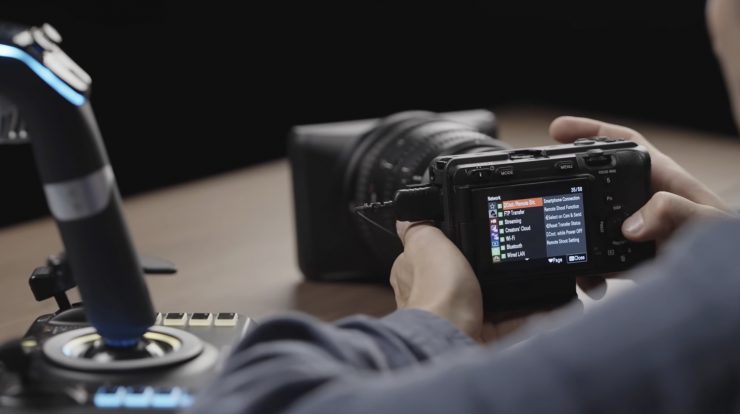
Blackmagic Design’s ATEM camera control was designed only for Blackmagic cameras; however, there is a way to control Sony cameras, such as the FX3, FX6, A74, and many more, almost as easily as if they were native Blackmagic cameras.
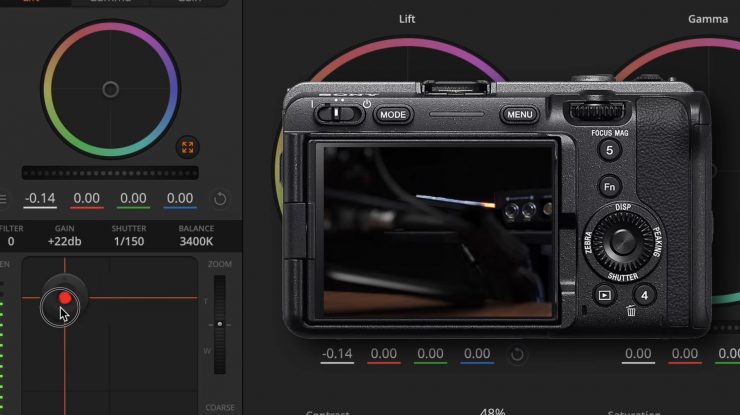
With the help of the Middle Control Pro 3.0 iOS app, users can adjust iris, ISO, focus, zoom, white balance, and even advanced color correction straight from their ATEM control panel. There are also more advanced controls such as contrast, saturation, tint, sharpness, and black level. You can also start stop recording, grab high-resolution snapshots, view the camera feed on your laptop, and even toggle the info display overlay on some models.
So how does this all work?
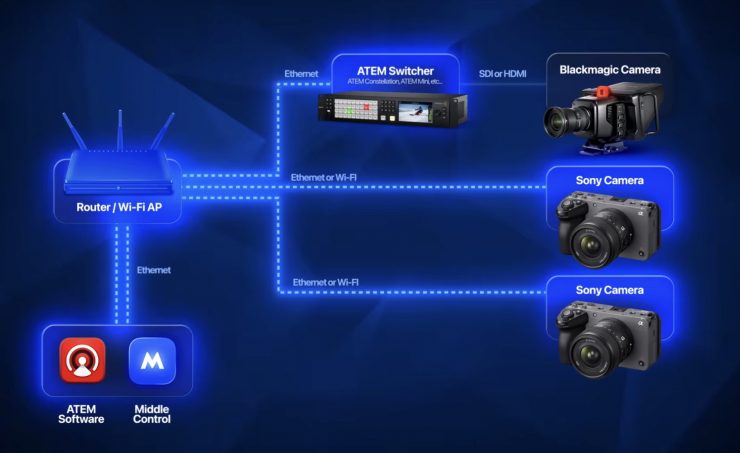
If you’ve worked Blackmagic Design cameras before, you know that the ATEM controls them directly via SDI or HDMI. You can control the cameras using ATEM software or the ATEM camera control panel. Now, if we want to control Sony cameras, we just have to put them on the same IP network as the ATEM and the computer, etc. The middle control app acts as the bridge that links everything together. It reads ATEM camera control commands on one side in the ATEM, and then it converts them into a format Sony cameras can understand.
What gear do you need?
This solution doesn’t require any extra hardware like the APCR or APCR Mini; however, you will need the Middle Control Pro 3.0 app, which is a paid extension of Middle Control. Middle Things does offer a free trial with access to all the features, so you can check it out without committing. You will need a computer running Mac OS, a supported Sony camera, an ATM switcher, a network switch, and a Wi-Fi access point or a router that has Wi-Fi built in.
You can check the compatibility of Sony cameras that work here.
Middle Control Software 3.1.0 (latest)
Middle Control
Improved UI for USB Joystick mapping
Improved UI for Presets Save & Recall
Enhanced Pan, Tilt, and Zoom joystick curves for Middle Remote and USB controllers, enabling finer adjustments even at high speed levels
Added support for mapping USB joysticks to Presets
Adds support for saving presets with a long press on the preset button or the joystick button
Adds support for mapping multiple USB joysticks to the same buttons and axes
Adds support for mapping Xbox controller Left & Right trigger axes to the Zoom axis
Adds options in Advanced Settings to set Pan/Tilt Speed and Zoom Speed globally instead of per ID
Adds an option in Advanced Settings to link the Pan/Tilt Speed and Zoom Speed sliders.
Adds support for showing current gimbal angles on the custom endpoints sliders for RS2, RS2 Pro and RS3 Pro
Adds support for using Shift + Click on an APC-R device or camera in the status sidebar to make it active
Reduced step size for Pan/Tilt Speed and Zoom Speed when mapped to joystick buttons
Enhanced compatibility with Blackmagic ATEM Advanced Panel
Fixed an issue where Zoom control did not function correctly through ATEM Software and ATEM Advanced Panel
General Improvements & Stability Update
Middle Control Pro
BETA: Adds support for up to 9 cameras in MultiView
BETA: Adds a MultiView option in Middle Control Pro settings (4 or 9)
Improved Sony Camera Pairing Wizard with better handling of model-specific features
Adds support for adding new Sony cameras directly from the sidebar using the + button for faster setup
Adds a new ND Filter slider for precise Variable ND control on supported cameras (located next to menu navigation buttons)
Adds support for setting Live View and MultiView quality (Low / High)
Adds support for Sony HXR-NX800
Adds support for Sony Burano
Adds support for Sony ILX-LR1
Adds support for Sony FR7 and BRC-AM7 PTZ cameras ( Pan / Tilt / Zoom / ISO / WB / Iris / Tint / Shutter / ND Filters / Presets (Save Only) / Focus Tracking / LiveView / OSD )
Adds support for Live View & MultiView on Sony FX6, Burano, FR7, AM7, Z200, and NX800
Adds support for camera menu navigation on PXW-Z200 and HXR-NX800
Fixes Tint Control on FX6 / PXW-Z200 and HXR-NX800
Fixes Rec Start Stop on FX6 / PXW-Z200 and HXR-NX800
Fixes Gain and Shutter Control on PXW-Z200 and HXR-NX800
Fixed an issue preventing Sony Camera ID from being changed in certain cases
Improves Focus Mode Selection mode and adds Expand Spot mode
Improves Multiview operational stability
Improved Multi-Operator experience. The master joystick can now override any Fixed ID joystick
Sony ATEM/Link toggle state is now preserved after app reboot
Bitfocus Companion: Adds support for remote control of Sony Camera Menus
Bitfocus Companion: Adds support for Sony Multi Selector Control
Bitfocus Companion: Adds support for Digital Zoom toggle
Bitfocus Companion: Adds support for triggering Sony Custom C1-C6 Buttons
Bitfocus Companion: Adds variables for Rec status (Sony) / AF (Sony) / Digital Zoom (Sony) and Currently Active Preset
Bitfocus Companion: Adds feedback for Rec status (Sony) / AF (Sony) / Digital Zoom (Sony) ,and Currently Active Preset
Known issues & notes
Physically power cycling the FR7 Camera will result in a Sony SDK Error, requiring a Middle Control app reboot.
Wired LAN control on FX3 & FX30 requires the latest camera body firmware update.
Bitfocus Companion update requires upgrading the Middle Control Companion Module to 3.1.0
Note for FX6, Z200, NX800, Burano, FR7 & AM7. For full control, make sure Shooting Profile is set to Custom, Shutter Mode to Speed / On, and White Balance to A or B.
Proicing & Availability
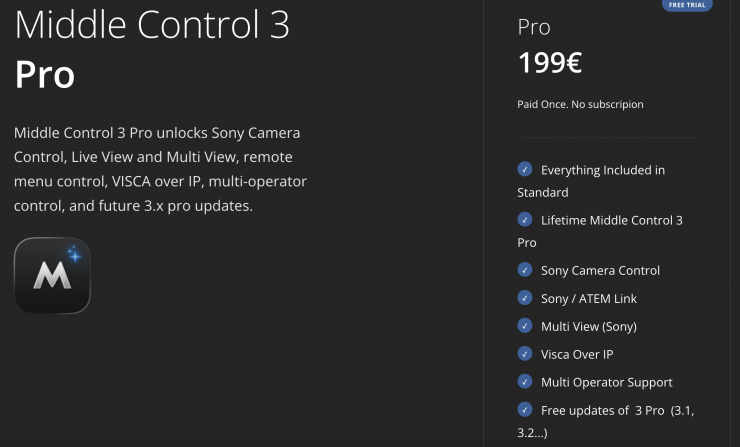
Middle Control 3.0, which supports full Blackmagic Camera control and full gimbal control with the APC-R or APC-R Mini, is free; however, the Pro version that offers Sony Camera Control, Sony / ATEM Link, and Sony Multi View is 199€. That 199€ is a one-off payment.